Kaydence
Free for Windows 10 and 11

A private diary that stays on your PC

Kaydence opens straight onto today, ready for you to write. Add photos, drawings and voice notes, check in on how you feel, and look back on the days that mattered. No accounts, no cloud, no tracking.

Version 1.0 · Free for personal use · Made by KaydeeCodes

Kaydence showing a day's page with writing, a photo and a sticky note, and the daily check-in on the right
Yours aloneYour diary lives in a folder on your PC, never on a server.
No accountsNothing to sign up for and nothing to sign in to.
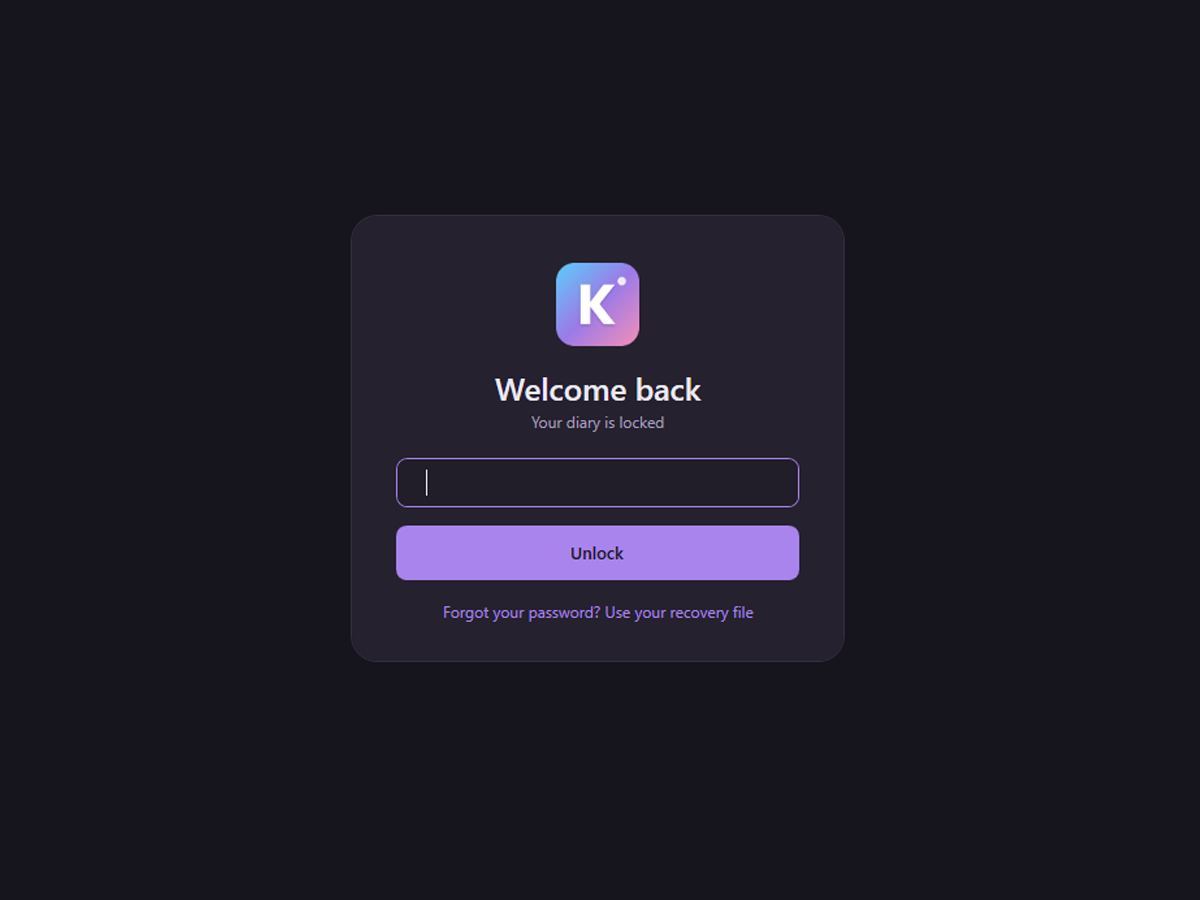
Encrypted if you likeAn optional password locks every file with AES-256.
Never locked inExport everything to ordinary files whenever you want.

Write anywhere on the page

Click anywhere and start typing, just like a notebook. Paste a screenshot, drop in a photo, scribble a doodle or leave yourself a sticky note. Everything saves by itself, so there's never a save button to remember.

  • Titles, headings, lists, colours and highlights
  • Sticky notes and checklists right on the page
  • Pens, highlighters and shapes to draw over anything
  • Voice notes when it's easier to say it than type it
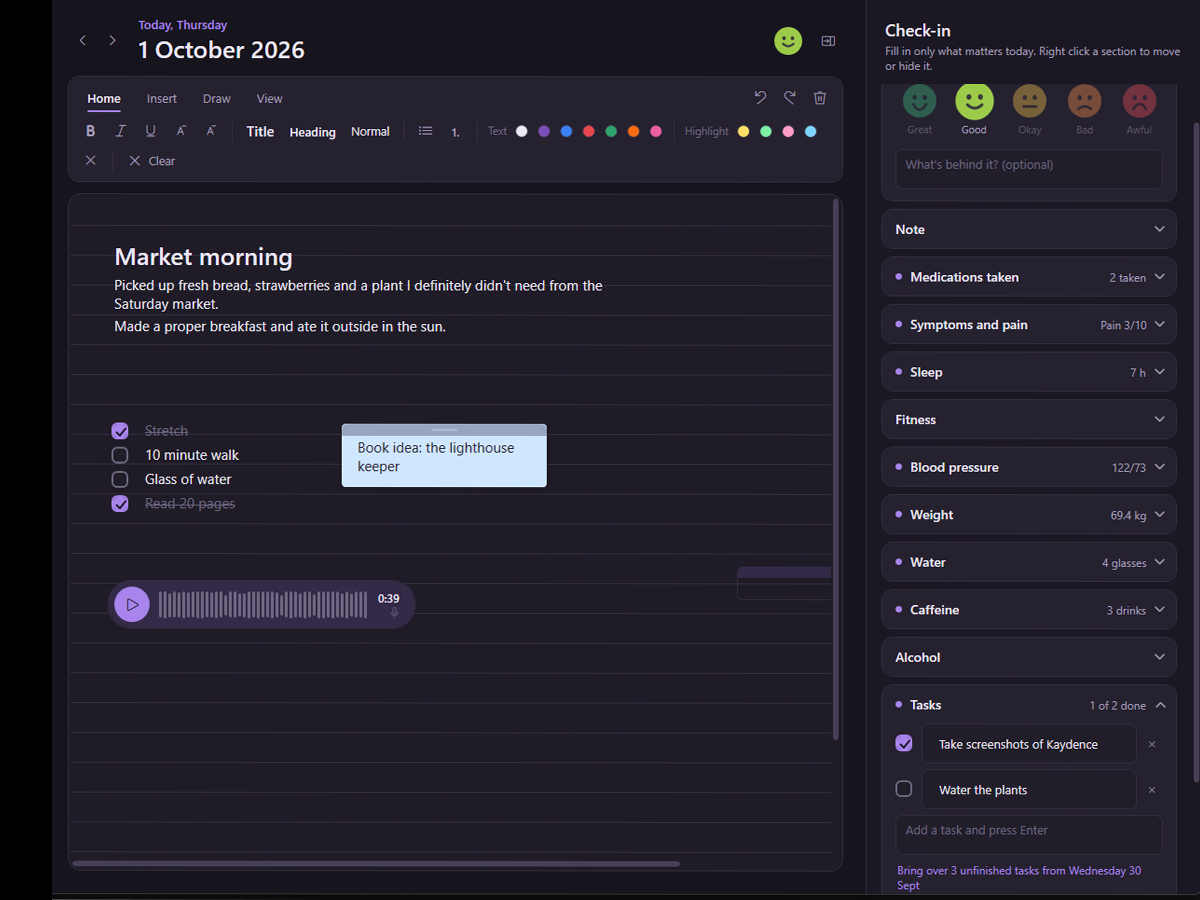
A Kaydence page with a title, a photo, a sticky note and a drawing

A gentle check-in, your way

Beside the page sits a quick daily check-in. Pick how you feel, note your sleep, jot down your wins and struggles, keep a list of tasks. Fill in as much or as little as you like.

  • Show only the sections you want, in the order you want
  • Optional health tools, a period tracker and a transition section, off unless you switch them on
  • Unfinished tasks offer to carry over to the next day
The Today panel with Feelings, Sleep and Tasks open

See how you've been doing

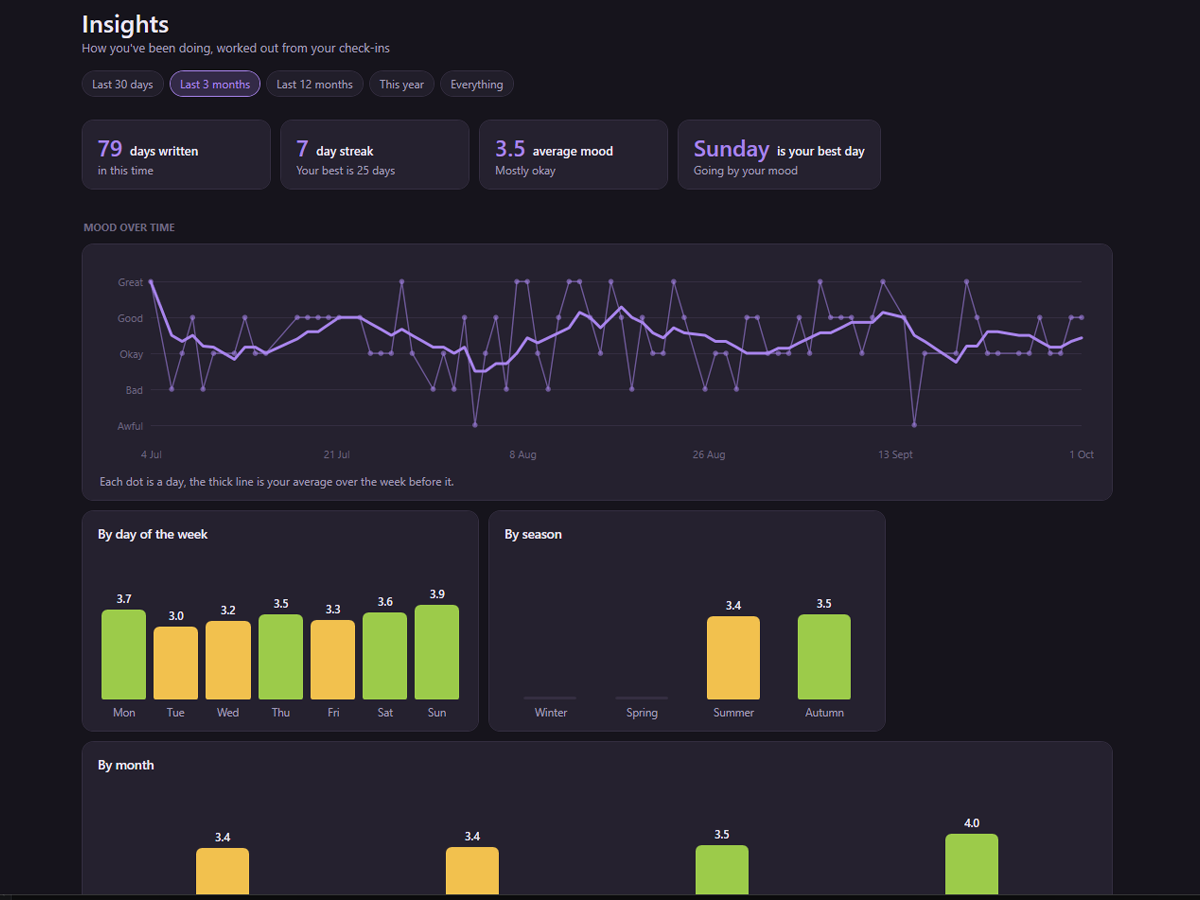
Every day you check in builds a picture over time. Insights turns your moods into charts and a colourful year in pixels, and Memories shows what you wrote on this day in years gone by.

  • Mood over time, by weekday, month and season
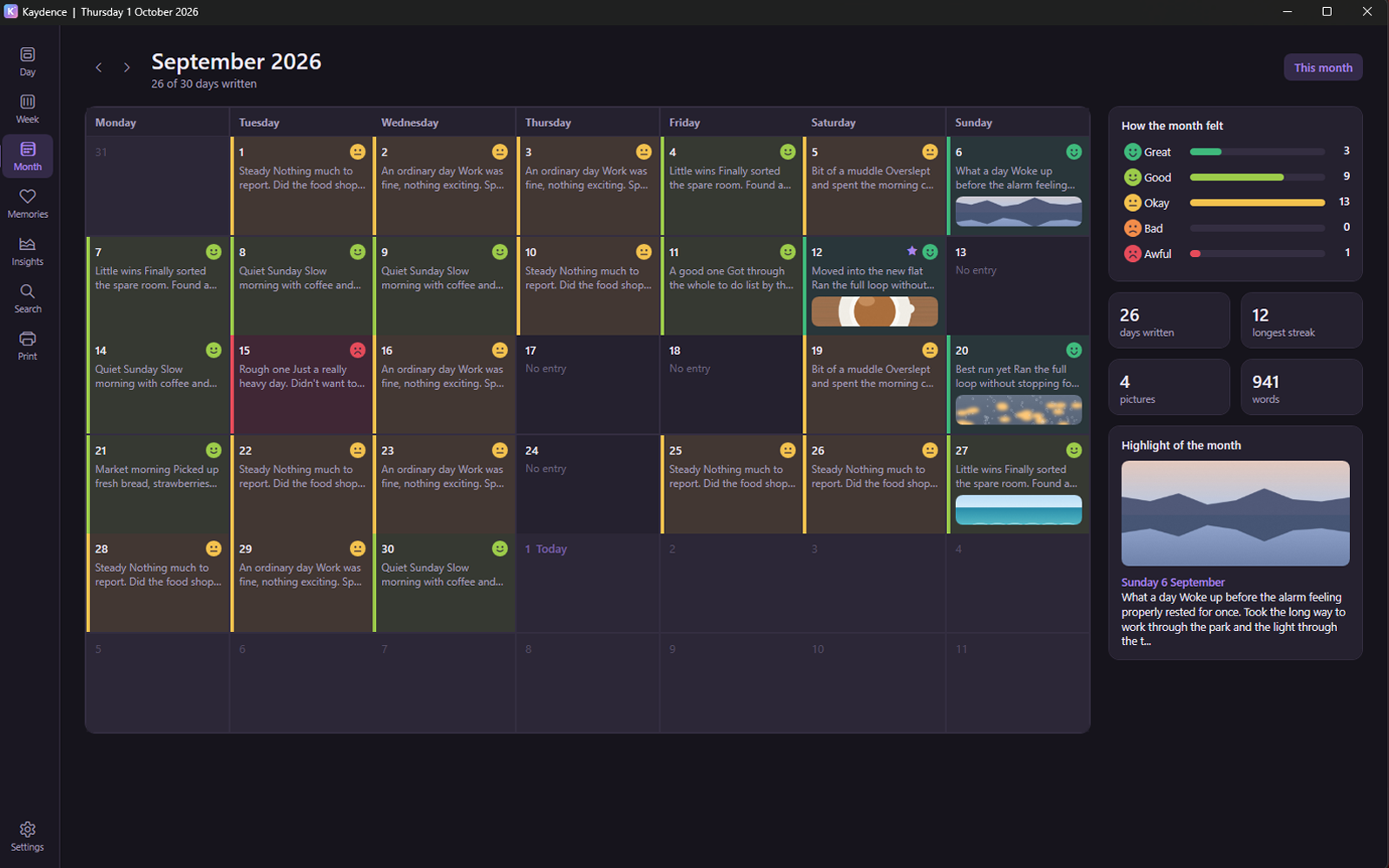
  • Week and Month views with snippets and photos
  • Search everything you've ever written
Kaydence Insights with a mood chart and a year in pixels

Everything a diary should have

Thoughtful touches that make writing every day a little easier.

Calendar at a glance

Every day you wrote gets a dot in the colour of your mood, with stars for milestones.

Print or save as PDF

Any range of days, neatly laid out, with an option made for taking to a doctor.

Daily backups

A copy of everything once a day, to a folder or USB stick you choose, with one click restore.

Easier reading

Dyslexia friendly fonts, roomy spacing, larger text, and light or dark mode.

A nudge to write

A gentle reminder at the time you choose, only on days you haven't written yet.

Open it from anywhere

Press Win+Shift+K in any app and your diary jumps to the front, ready to write.

Private by design

Kaydence was built for the things you'd never post online. It has no accounts, no adverts and no analytics, and it never sends your diary anywhere.

  • Your diary, photos and voice notes stay in a folder on your PC
  • An optional password encrypts every file with AES-256
  • Photos are cleaned of hidden location and camera details
  • The only thing it ever sends is an optional check for a new version

Read the full privacy statement

The Kaydence lock screen
Not medical advice. Kaydence is a diary, not a medical app. Its health and period tools are for your own notes, and cycle guesses must never be used as contraception.

Start writing today

Free for personal use. Windows 10 or 11, 64 bit. Everything it needs is included.

Download Kaydence
  1. Download Kaydence-Setup from the latest release.
  2. Run it. It installs just for you, no administrator password needed.
  3. If Windows says it protected your PC, click More info, then Run anyway. This is normal for apps from small, independent developers.
  4. A short welcome tour helps you set everything up.

Questions

Is Kaydence really free?

Yes. Kaydence is free for personal and non-commercial use. There are no adverts, no subscriptions and no paid extras.

Where is my diary kept?

In one folder on your PC, %LocalAppData%\Kaydence. It isn't synced to any cloud service, and you can open it from the folder button in Kaydence's sidebar.

What happens if I forget my password?

When you set a password, Kaydence asks you to save a recovery file, a spare key you can also keep in a password manager. It lets you back in and choose a new password. Because the encryption is real, there's no back door: without your password or recovery file, nobody can open an encrypted diary, including the developer.

Can I get my diary out of Kaydence?

Any time. Export copies everything into a web page, a text file per day, and your photos and voice notes as ordinary files. You can also save your whole diary as a PDF.

Does it work on a Mac or my phone?

Not at the moment. Kaydence is made for Windows 10 and 11.

I found a problem or have an idea.

Lovely, please share it! In Kaydence, Settings, Help and feedback has Make a bug report, Report a problem and Suggest a feature. You can also open an issue on GitHub.